
The best Fortnite aim assist setup starts with the strength slider at 100%, advanced options switched on, and a sensitivity profile you change one value at a time. Epic's own guidance points the same way, and everything else (input curve, dampening, turning boosts) is about making that assist feel predictable under your thumbs. This guide walks through each setting, explains why aim assist sometimes feels inconsistent, and shows a simple routine for fine-tuning. If you want those settings to be adjustable on the fly, our Fortnite Cronus Zen script includes aim assist configurations and custom sensitivity settings.
TL;DR
- Aim assist lives under Settings > Controller Options > Sensitivity, and the strength slider only appears once Use Advanced Options is on.
- Epic's troubleshooting guidance sets Aim Assist Strength to 100% for controller and mobile players, and aim assist switches off whenever gyro aiming is active.
- Your input curve, look speeds and dampening decide how the assist feels, so change one value at a time and test in the same spot.
- Aim assist behaves differently by distance, target and platform, so a setting that feels off at long range may simply need a different sensitivity, not a different strength.
- Our script is built around aim assist configurations, anti-recoil, rapid inputs and custom sensitivity settings for players who want those adjustments in one menu.
Table of Contents
- What aim assist actually does in Fortnite
- How to turn on and adjust aim assist
- Sensitivity settings that work with aim assist
- Pick a controller mapping that matches your play
- Why aim assist feels different from one situation to the next
- A simple routine to test and fine-tune your settings
- Switching configurations faster with our Zen script
- Quick reference: a sensible order of operations
- FAQ
- Sources
What aim assist actually does in Fortnite
Aim assist is a built-in system that nudges your reticle toward targets when you play with a controller. It exists because a thumbstick is far less precise than a mouse, and the system closes part of that gap.
Epic described how it works when it reworked controller aiming in the v10.40 update. Targets are calculated in screen space, so the feel stays consistent no matter how far away an enemy is. The strength of the pull changes based on how far the target sits from your reticle. When several enemies are on screen, a weighting algorithm decides which one to follow. And your crosshair turns red when it is pointed at an enemy within effective range, meaning before weapon damage starts to drop off.
That last detail is a handy practical cue. If the crosshair is not turning red, you are either aiming at nothing, or you are firing from beyond the range where the weapon is effective.
Which platforms use it
Aim assist applies to controller play. Epic's platform compatibility page lists PS4 (Pro and Slim), PS5, the Xbox One family, Xbox Series X|S, Nintendo Switch, Switch Lite and Switch 2, along with supported Android and iPhone/iPad devices. On PC, you can plug in a controller and select which platform the controller belongs to, which Epic documents on its controller configuration page. Not every setting is available on every platform, so if a slider in this guide is missing on your device, that is the reason.
How to turn on and adjust aim assist
The path is the same on most devices. Epic's help page for adjusting aim assist gives these steps:
- Launch Fortnite and open Settings from the profile icon.
- Go to Controller Options, then Sensitivity.
- Turn Use Advanced Options on.
- Set Aim Assist to the amount you want.
- Select Apply.
The most common mistake is skipping step 3. Without advanced options, you will not see the full list of sliders, and players often assume aim assist has no setting at all.
The strength slider
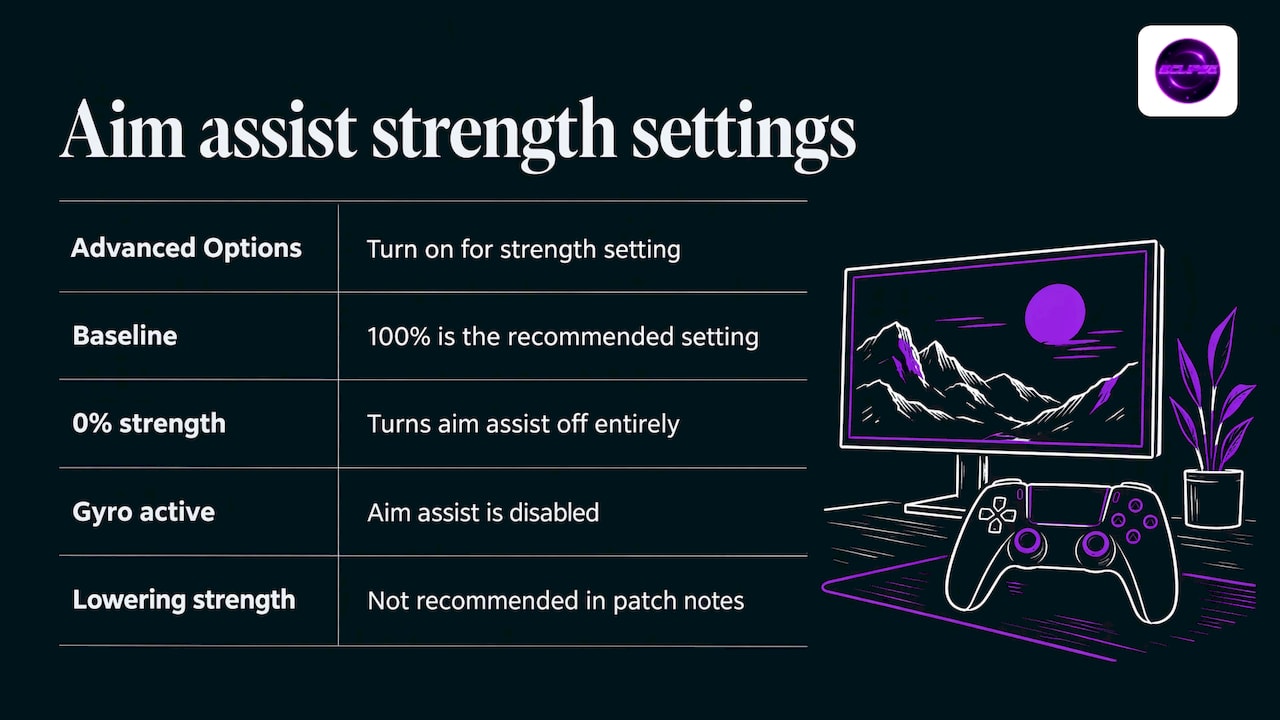
Epic's troubleshooting page for HUD and aim assist issues tells controller and mobile players to set Aim Assist Strength to 100%, or lower if they prefer, with Advanced Options on. The same page notes that aim assist is disabled whenever gyro is active. If you use gyro aiming on Switch or mobile and wonder why the pull vanished, that is the cause, not a bug.
At 0%, aim assist is turned off entirely. Epic's patch notes add a plain recommendation on that point: "Lowering this setting is not recommended." For most players, 100% is the baseline and every other adjustment is built on top of it.
Sensitivity settings that work with aim assist
Strength is only one of the controls. The rest decide how quickly and how smoothly your reticle moves, and aim assist can only help as much as your base movement lets it. Epic's v10.40 notes define the system like this:
| Setting | What it does | Effect on aiming |
|---|---|---|
| Look Horizontal / Vertical Speed | Sets how fast the reticle turns with the stick | Higher is faster flicks but harder fine control |
| Turning Boosts | Adds extra speed when the stick is held at the edge (0% disables it) | Helps with 180-degree turns, can overshoot small corrections |
| ADS Look Speeds | Look speed while aiming down sights | Lower values steady long-range shots |
| Look Dampening Time | Smooths the start of stick movement (0.0s disables it) | Reduces jitter, adds a small delay |
| Look Input Curve | Linear uses raw stick input, Exponential makes small movements less effective | Linear is more direct, Exponential favors big sweeps |
| Aim Assist Strength | How strongly the reticle is pulled toward targets (0% disables it) | Higher gives more tracking help |
How to read the table
Think of it as two groups. The first group (speeds, boosts, dampening) controls how your thumb input becomes movement. The second group (input curve and aim assist strength) controls how that movement is shaped and corrected.
If your shots land close but you keep overshooting, the problem is usually speed or turning boosts, not aim assist. If your reticle feels sluggish when a target strafes, the problem is more likely dampening. And if tiny corrections do nothing, check whether you are on an Exponential curve, since that curve makes small stick movements less effective by design.
Dead zones
The dead zone is the small area around the center of the stick where input is ignored, which hides stick drift. Where your game exposes it, a smaller dead zone gives finer control but can let drift creep in on an older controller. If your reticle moves on its own when you let go, raise the dead zone slightly before touching aim assist strength.
Pick a controller mapping that matches your play
Settings for aiming sit next to your button layout, and the two affect each other. Epic's controller configuration page lists the presets: Custom, Builder Pro, Combat Pro, Quick Builder and Old School. Combat Pro and Builder Pro move actions to different buttons so you can build or fight without taking your thumb off the right stick. Because your right thumb is also the one aiming, a layout that keeps it on the stick during fights is worth trying before you chase sensitivity numbers.
Why aim assist feels different from one situation to the next
If your aim feels great in one fight and sluggish in the next, the system is behaving as designed. A few causes are common.
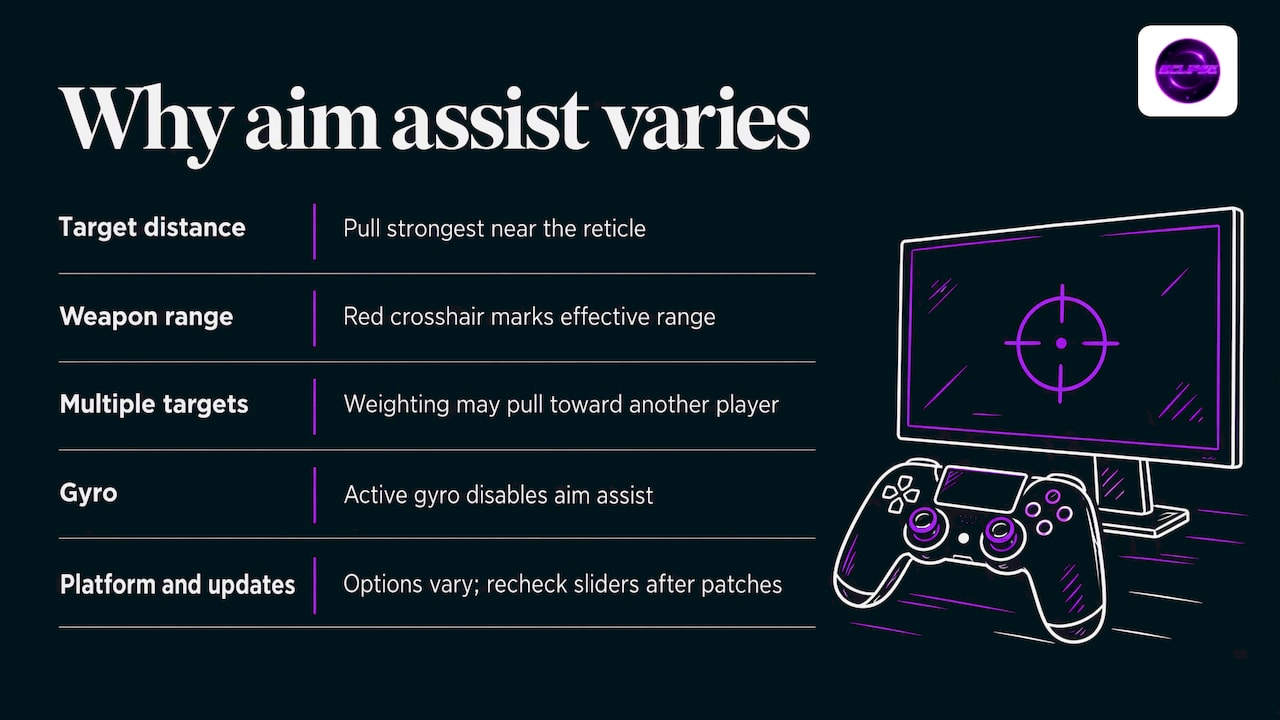
Distance. Aim assist applies different strengths depending on how far the target is from your reticle, so the pull is strongest when you are already close and fades as you drift off target. It rewards getting near the enemy first, then lets the assist finish the job.
Range and weapon. The red crosshair marks effective range. Past it, you are asking the assist to help with shots the weapon cannot deliver well.
Multiple targets. With several enemies on screen, the weighting algorithm picks a target, and it may not be the one you meant. Strafing across a second player can pull your reticle away.
Gyro. If gyro is on, aim assist is off, per Epic's troubleshooting guidance.
Platform and updates. Some options are not available on every platform, and Epic can change aiming behavior in updates. After a major patch, recheck your sliders instead of assuming they carried over unchanged.
If the HUD or aim assist seems broken rather than just inconsistent, the same Epic troubleshooting page lists cache-clearing steps for PlayStation, Nintendo Switch, Xbox Series X|S and the PC launcher.
A simple routine to test and fine-tune your settings
Guessing at sliders in the middle of a match is how players end up worse than they started. Use a fixed routine instead.
- Write down your current values. Strength, look speeds, boosts, dampening, curve. If a change makes things worse, you can go back.
- Start from the baseline. Aim Assist Strength at 100% with advanced options on, and gyro off if you want the assist active.
- Pick one problem. Overshooting, slow tracking, or missing the first shot. Do not try to fix all three at once.
- Change one value in a small step. Adjust a single setting, apply it, and play.
- Test in the same place. Use a creative aim map or the same landing spot, with the same weapon, so the only difference is the setting.
- Give it a few sessions. Muscle memory needs time. A change that feels odd for ten minutes may be right after a couple of days.
- Repeat for the next problem.
A useful rule: fix control first (speed, boosts, dampening, curve), then fine-tune strength. Aim assist can correct small errors, but it cannot rescue a sensitivity that is too fast for your hands.
Adjusting for different situations
Many players want a different feel for close-range fights and long-range ones. In-game you have one profile at a time, plus the separate ADS look speeds. That is where a script with its own menu becomes handy, since it lets you switch between configurations without diving into settings screens mid-session.
Switching configurations faster with our Zen script
If you spend a lot of time swapping between sensitivity setups, our script is designed to put that control in one place. Our Fortnite Cronus Zen script combines premium GPC technology with aim assist configurations, anti-recoil, movement enhancements, rapid inputs, custom sensitivity settings and interactive menus, with extensive customization options on top. It is sold as a one-off purchase at €34.99, and we back it with customer support and regular improvements through continuous development.
The aim assist and sensitivity concepts in this guide carry straight over: the same ideas about strength, curve and speed apply when you configure them through a menu rather than the game's settings page. You can see the full feature set on the Eclipse Fortnite homepage.
Quick reference: a sensible order of operations
- Turn Use Advanced Options on and confirm Aim Assist Strength at 100%.
- Turn off gyro if you want aim assist to stay active.
- Choose a controller mapping that keeps your right thumb on the stick in fights.
- Set the input curve, then look speeds, then turning boosts and dampening.
- Test each change in the same place with the same weapon.
- Recheck everything after a big update.
FAQ
What are the best aim assist settings for controllers in Fortnite?
The baseline from Epic's troubleshooting guidance is Aim Assist Strength at 100% with Use Advanced Options on. From there, tune look speed, input curve, turning boosts and dampening to your hands, changing one value at a time and testing in the same place.
How do I turn on aim assist in Fortnite?
Open Settings from the profile icon, go to Controller Options, then Sensitivity, and turn Use Advanced Options on. Set Aim Assist to the amount you want and select Apply. Aim assist stays off while gyro is active, so turn gyro off if the pull seems missing.
What does aim assist mean in Fortnite?
It is a controller feature that pulls your reticle toward enemies to make up for the lower precision of a thumbstick. Strength depends on how far the target is from your reticle, and the crosshair turns red when an enemy is in effective range.
Does aim assist work on every platform?
It is a controller feature, available across supported consoles, and on PC when a controller is connected. Epic notes that not every setting is available on every platform, so some sliders may look different on your device.
Why does my aim assist feel weaker than before?
Check whether gyro is on, whether Aim Assist Strength is still at your chosen value after an update, and whether you are firing beyond effective range. If the problem remains, Epic's troubleshooting page lists cache-clearing steps for each platform.